
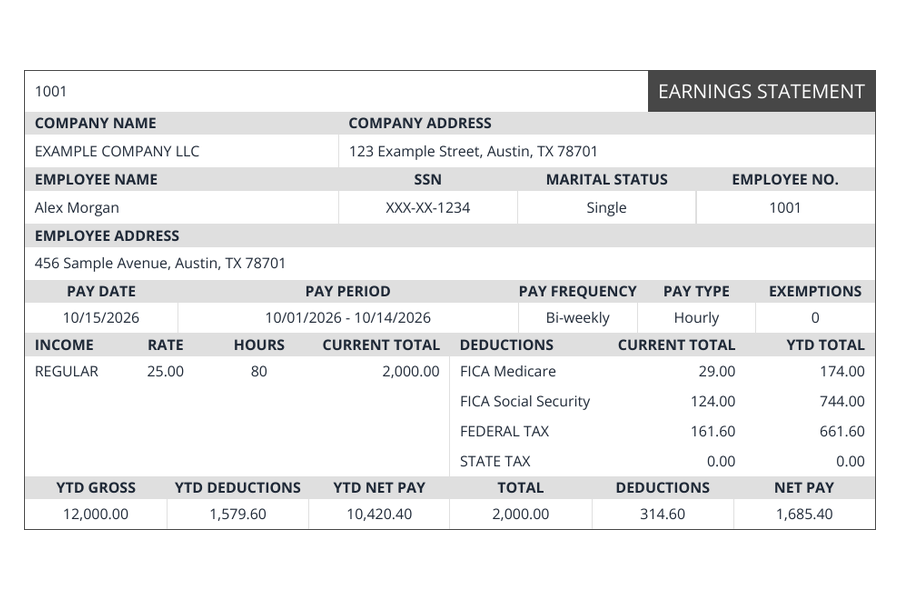
Regular
The familiar earnings statement.
Company logo, phone number and EIN are not displayed.
— / pay stub
Use Regular
Choose a pay stub layout by the information you need to display. Compare its sample and price, then continue to the maker with your payroll records.
Create your pay stubThe six designs share the same calculation engine. Compare their presentation and optional fields rather than expecting a different tax result from a different layout. Prices are per stub before an eligible coupon.
Loading current prices…
The familiar earnings statement.
Company logo, phone number and EIN are not displayed.
— / pay stub
Use Regular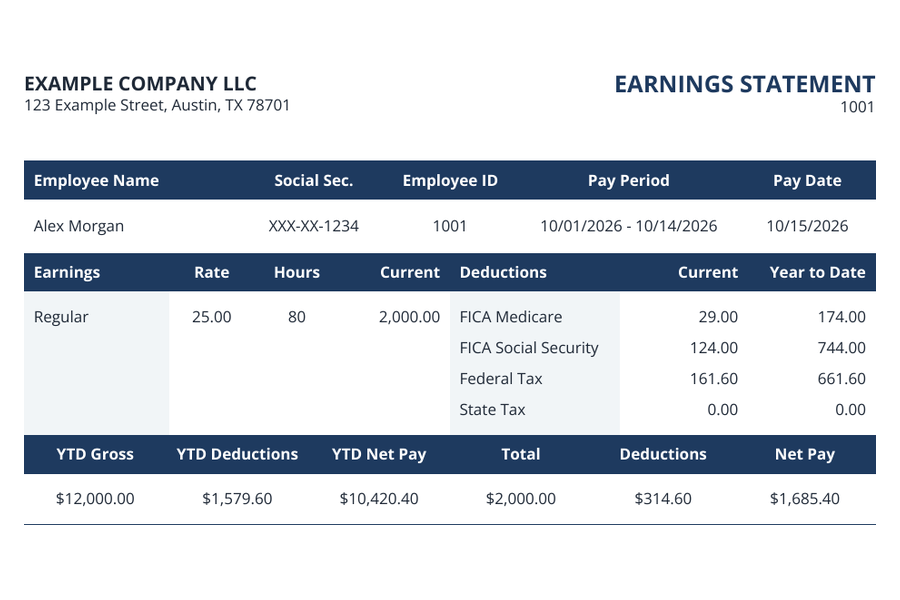
All the essentials, neatly arranged.
Supports your company logo. Employee address and marital status are not displayed.
— / pay stub
Use Compact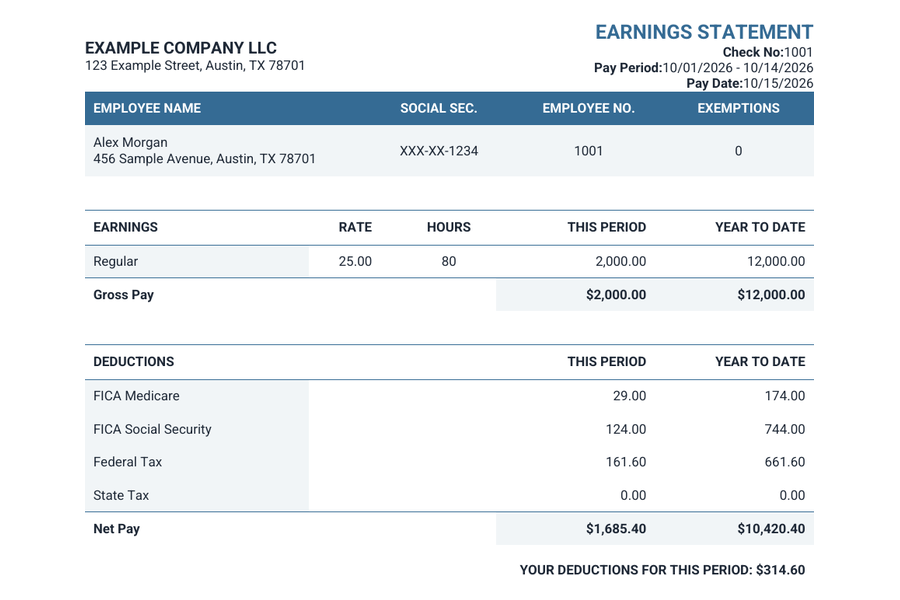
A clean, vertically stacked layout.
Supports your company logo and employee address. Marital status is not displayed.
— / pay stub
Use Modern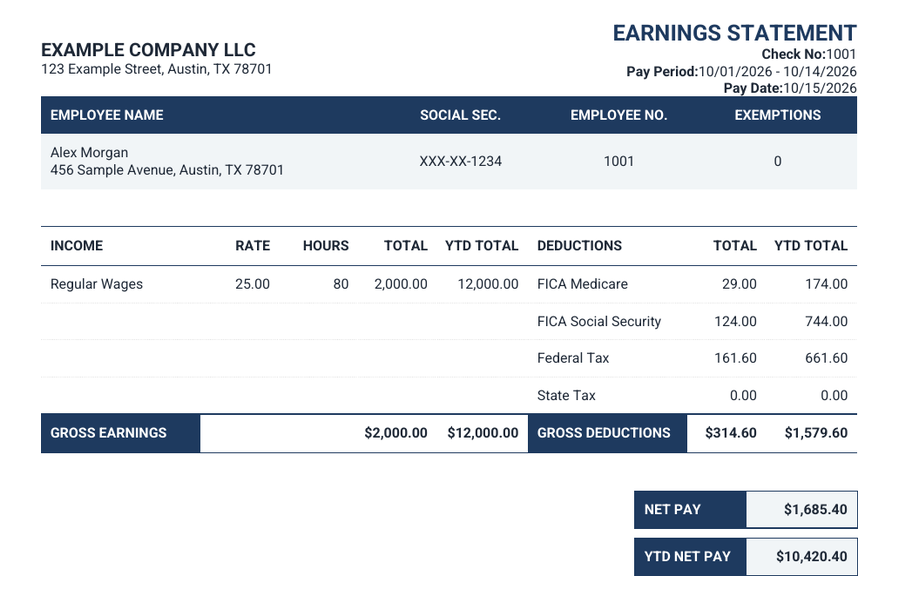
Detailed columns and clear totals.
Supports your company logo and employee address. Marital status is not displayed.
— / pay stub
Use Bank Style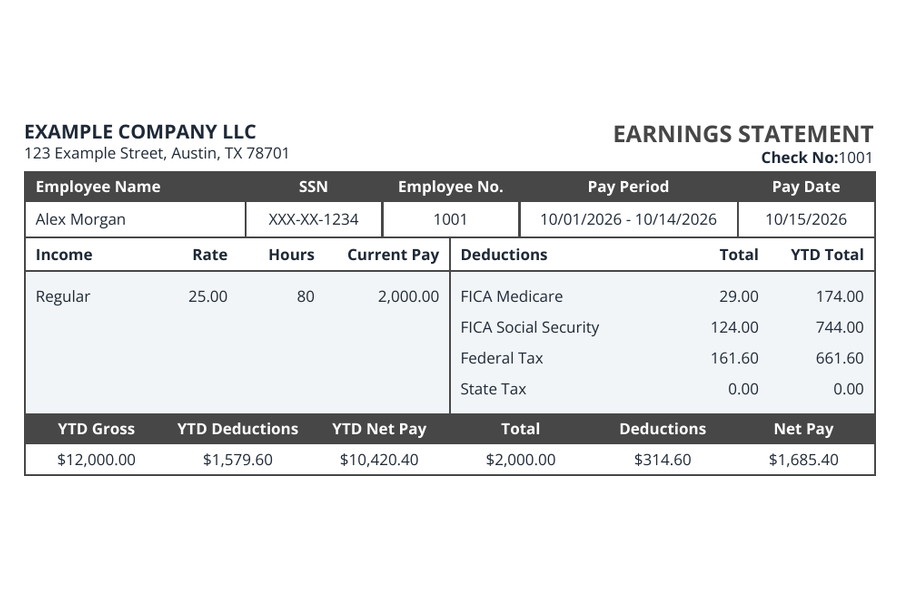
A straightforward, balanced layout.
Supports your company logo. Employee address and marital status are not displayed.
— / pay stub
Use Simple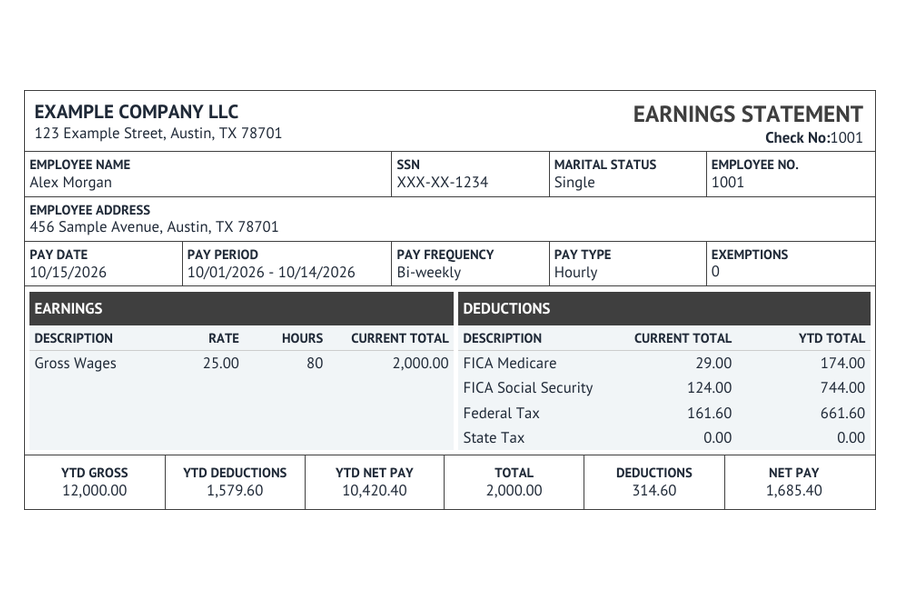
Traditional structure, complete details.
Supports your company logo, employee address and marital status.
— / pay stub
Use ClassicAll six include earnings, deductions, pay dates and year-to-date totals.
| Template | Company logo, phone & EIN | Employee address | Marital status |
|---|---|---|---|
| Regular | No | Yes | Yes |
| Compact | Yes | No | No |
| Modern | Yes | Yes | No |
| Bank Style | Yes | Yes | No |
| Simple | Yes | No | No |
| Classic | Yes | Yes | Yes |
A template change preserves your entries, including information the new design does not display. Optional fields left empty remain empty. Open the template collection to enlarge the samples.
Include a coordinated deposit slip for — per pay stub. Review it alongside your pay stub before checkout.
Adding a deposit slip prepares an extra document. It does not send money to an account or make a bank deposit.
Pay stubs: —
With three deposit slips: —
Check the complete order total at checkout, including the selected layout, number of stubs, optional extras and any accepted coupon.
Select a layout, enter the payroll records and inspect your preview before paying.
Create your pay stub